
What SehatDoc does
Six things a clinic does every day, and the software for each
Written for the way practices here actually run: a shared diary, a prescription pad that prints on your letterhead, one ledger for the money, and a pharmacy counter attached to the same system.
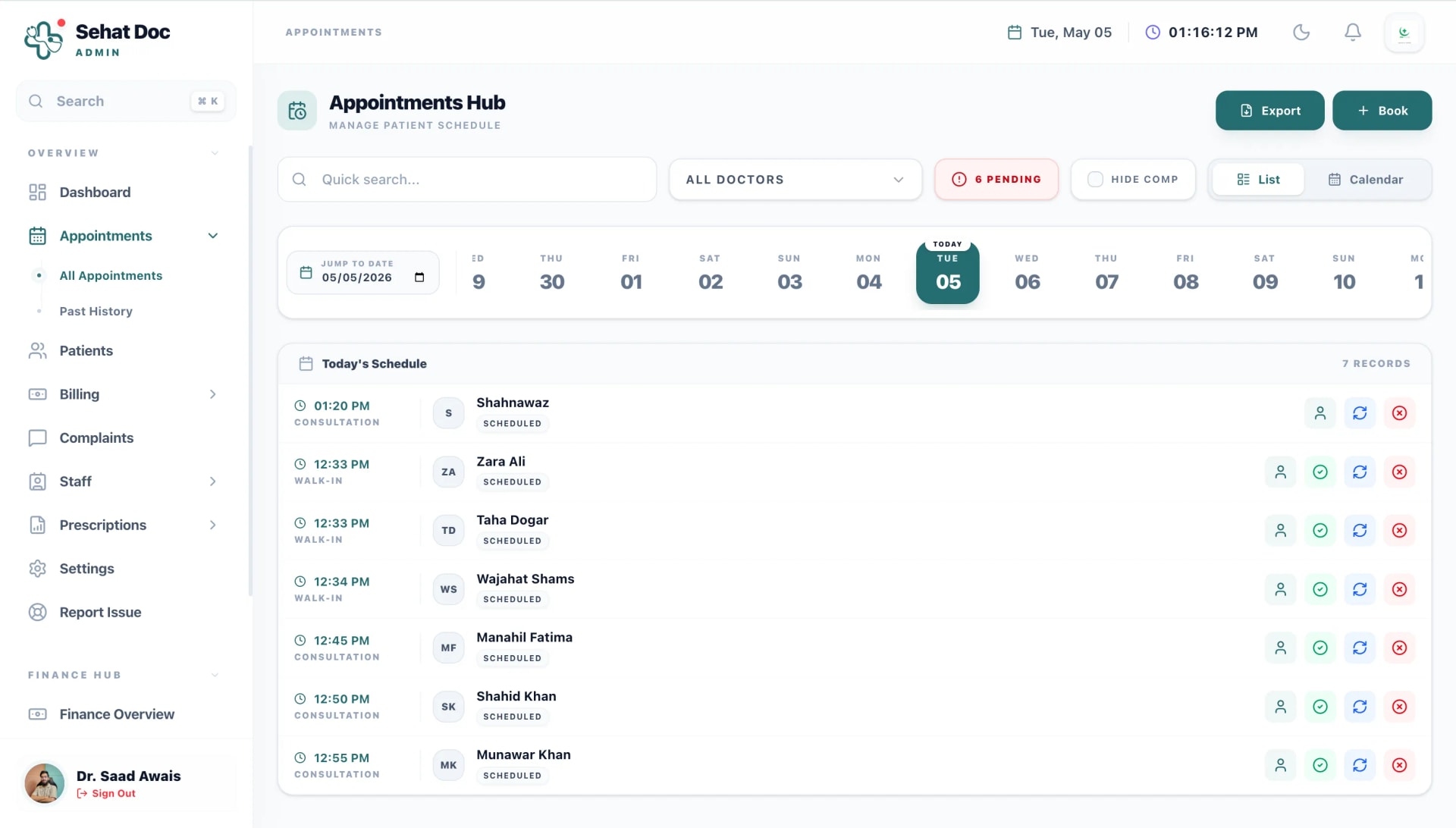
Scheduling
Appointments that reception and the doctor both trust
One calendar, shared. Reception books into it, the doctor sees it change, and the patient gets told. The commonest cause of a double booking — two people keeping two lists — stops existing.
- Slots that match how you actually sit
- Set session times per doctor and per day. Thursday evenings off, Saturday mornings only, a two-hour gap for rounds — the calendar follows your timetable, not a default one.
- Walk-ins without chaos
- Add a walk-in to the live queue and it slots in around booked patients instead of pushing everyone back.
- Rescheduling tells the patient
- Move an appointment and the WhatsApp message goes out with the new time. Nobody has to remember to call.
- Follow-ups that come back
- Set "review in three weeks" during the consultation and it appears on the right day as a task for reception.
Prescribing
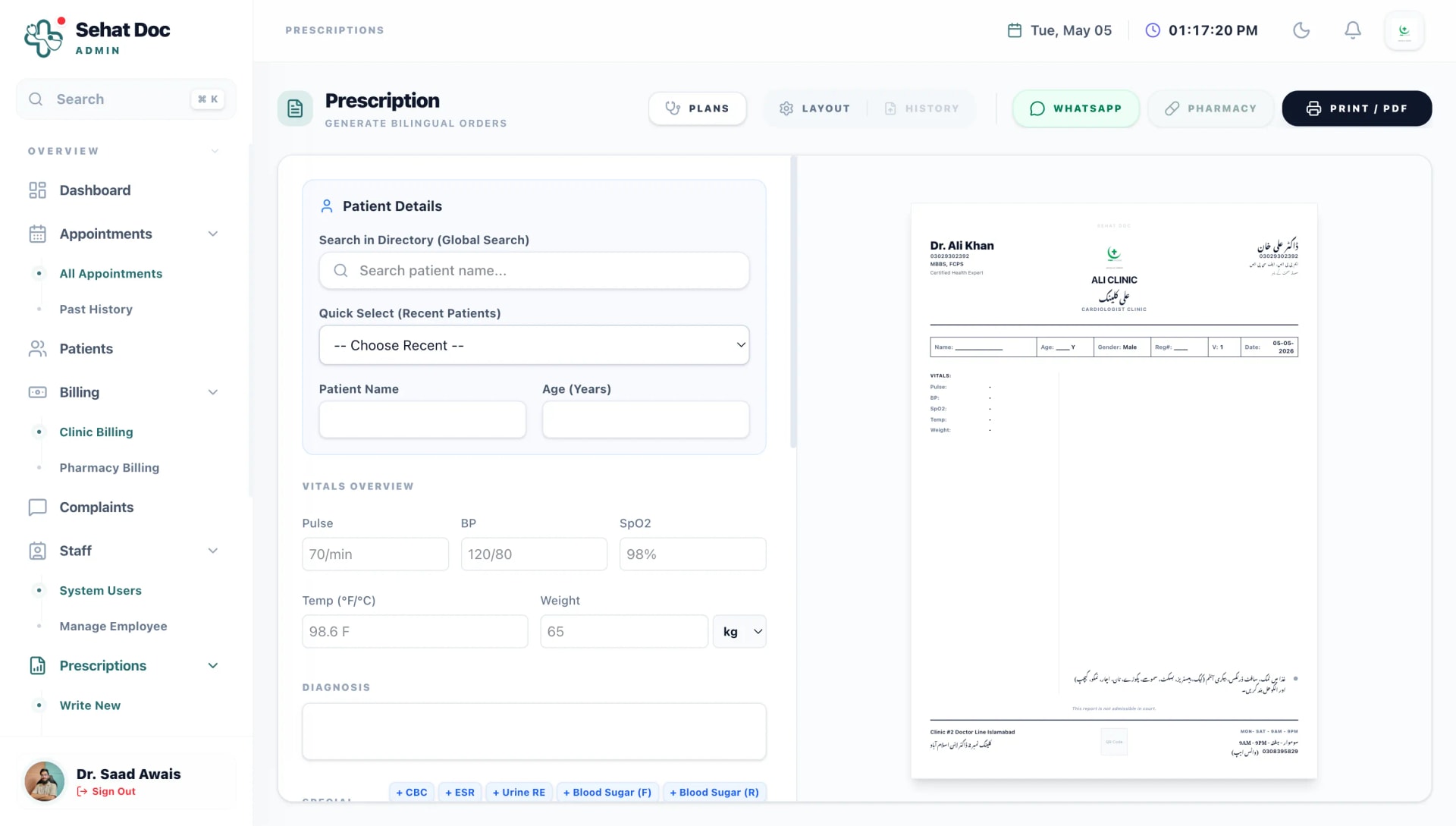
A prescription pad that prints on your own letterhead
Most prescription software in this market either looks like a database form or forces its own branding onto your paper. This one prints what you would have written, on the stationery you already use.
- English, Urdu or Roman Urdu instructions
- Write the medicine in English and the instruction the way the patient reads it. "Khana ke baad, din mein do baar" prints exactly like that.
- Templates for what you write daily
- Save a full plan for a common presentation. Next time, pick it, adjust the dose and print.
- Aligns with your existing pads
- Adjustable margins and header height so prints land correctly on pre-printed prescription paper.
- Goes to the patient and the counter
- The same prescription can be sent on WhatsApp and pushed to your pharmacy screen as an order to dispense.
Patient records
The file that does not go missing
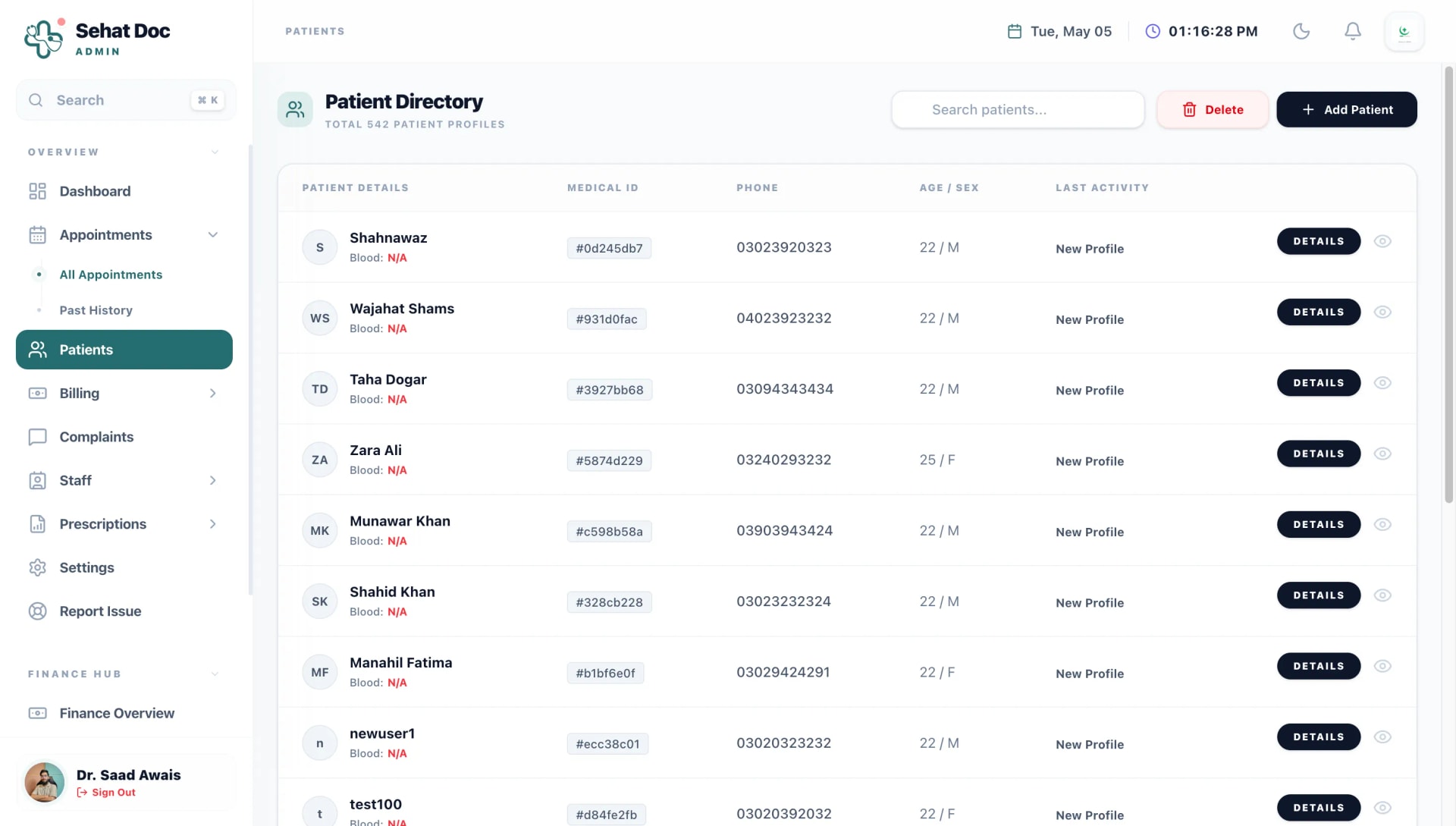
Every consultation, prescription, invoice, lab result and uploaded scan attaches itself to the patient and stays in date order. Searching takes a second, whether the last visit was last week or three years ago.
- Find a patient three ways
- By name, by phone number or by MR number — partial matches included.
- Attach what arrives on paper
- Photograph an outside report or an ultrasound film and it sits on the visit it belongs to.
- Trends, not just entries
- Repeated vitals and measurements plot over time so a change across visits is visible at a glance.
- Readable on a phone
- Open the same record between sessions or from home. It is one file, not a synced copy that can disagree with itself.
Billing and finance
Every rupee on one ledger
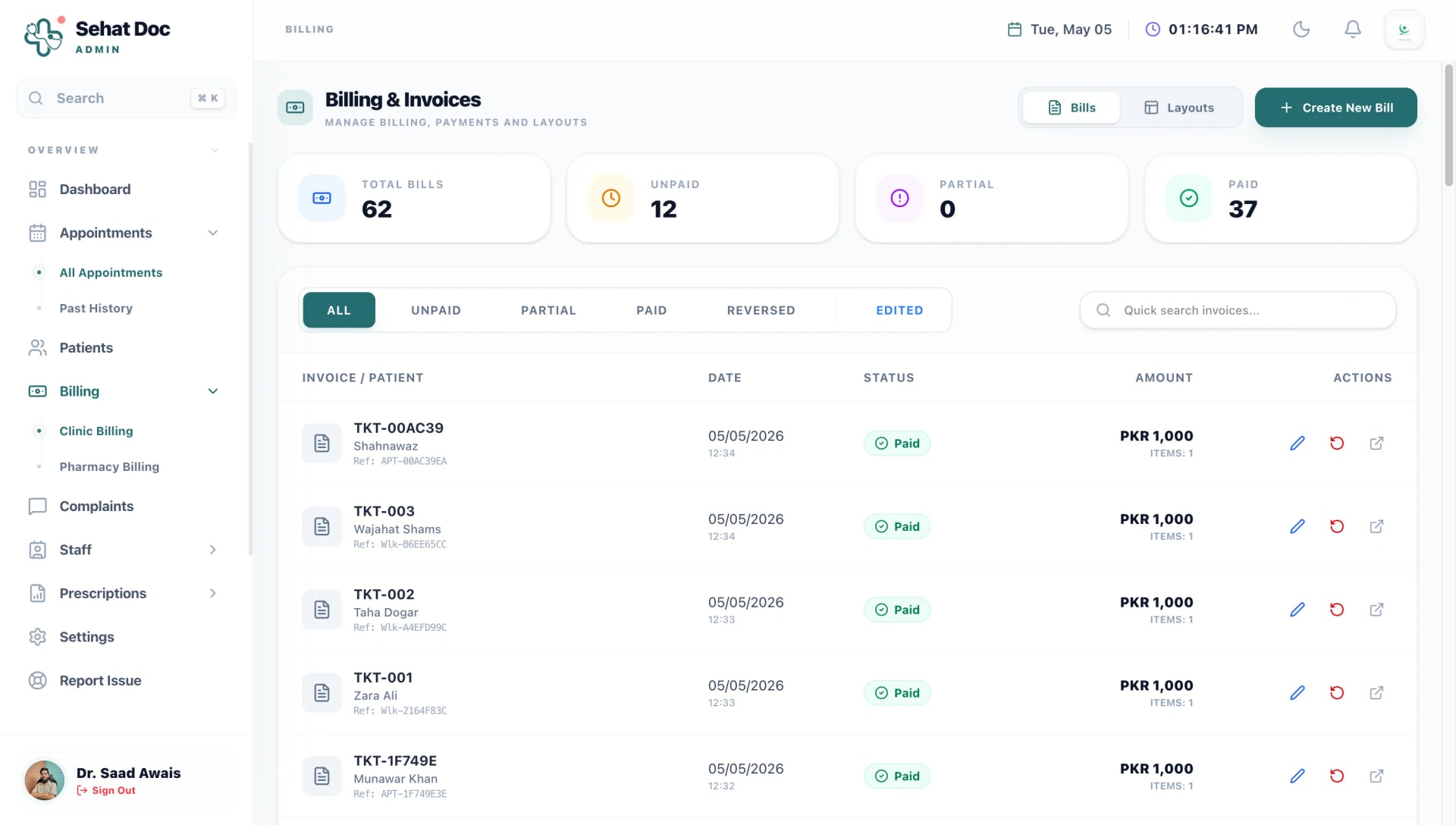
Consultation fees, procedures, lab tests and dispensed medicines land on the same invoice and the same daily total. At the end of the month you read a number instead of reconstructing one.
- Any payment method
- Cash, card, JazzCash, EasyPaisa or a bank transfer, recorded on the bill itself.
- Part payments and dues
- An outstanding balance is held against the patient, so the next visit opens with it visible rather than written on a slip.
- Close the day in one screen
- What came in, by method, with the count of consultations and pharmacy sales behind it.
- Costs as well as income
- Record rent, salaries, supplies and utilities so the monthly view shows what the clinic kept, not only what it billed.
Staff and access
Logins for people, permissions for jobs
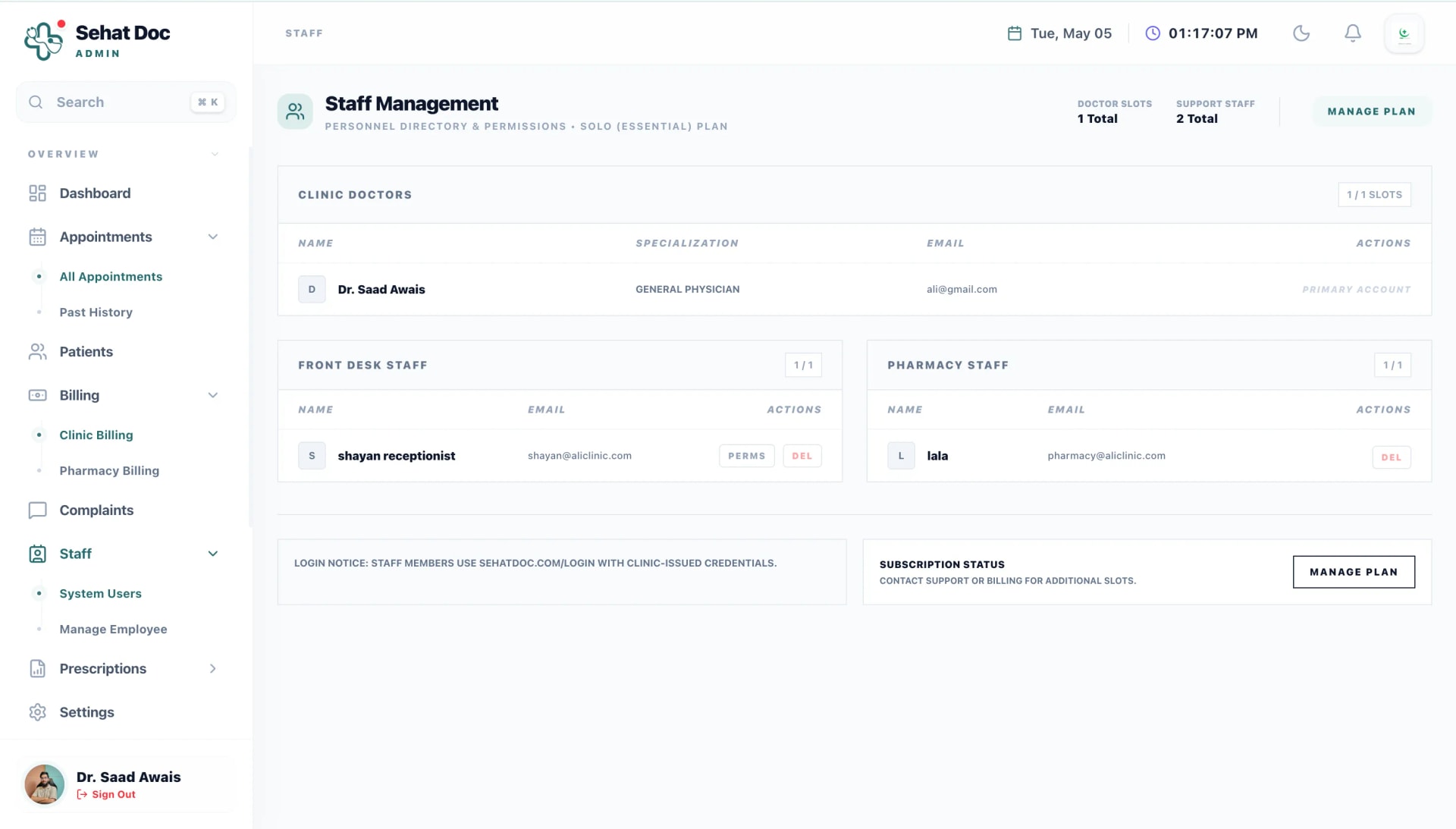
Everyone who works in the clinic gets their own account. What they can open is decided by their role, so a shared password stops being the way the front desk gets things done.
- Set permissions per person
- Not just "receptionist" — you can grant or withhold individual capabilities for a specific member of staff.
- Clinical notes stay clinical
- The receptionist portal has no route into a consultation note. It is not hidden; it is not there.
- An audit trail you can read
- Edits, cancellations and refunds are stamped with the person and the time.
- Offboarding takes one click
- Close an account the day someone leaves. Their work stays on the record; their access does not.
Pharmacy
A counter that is part of the clinic, not a second business
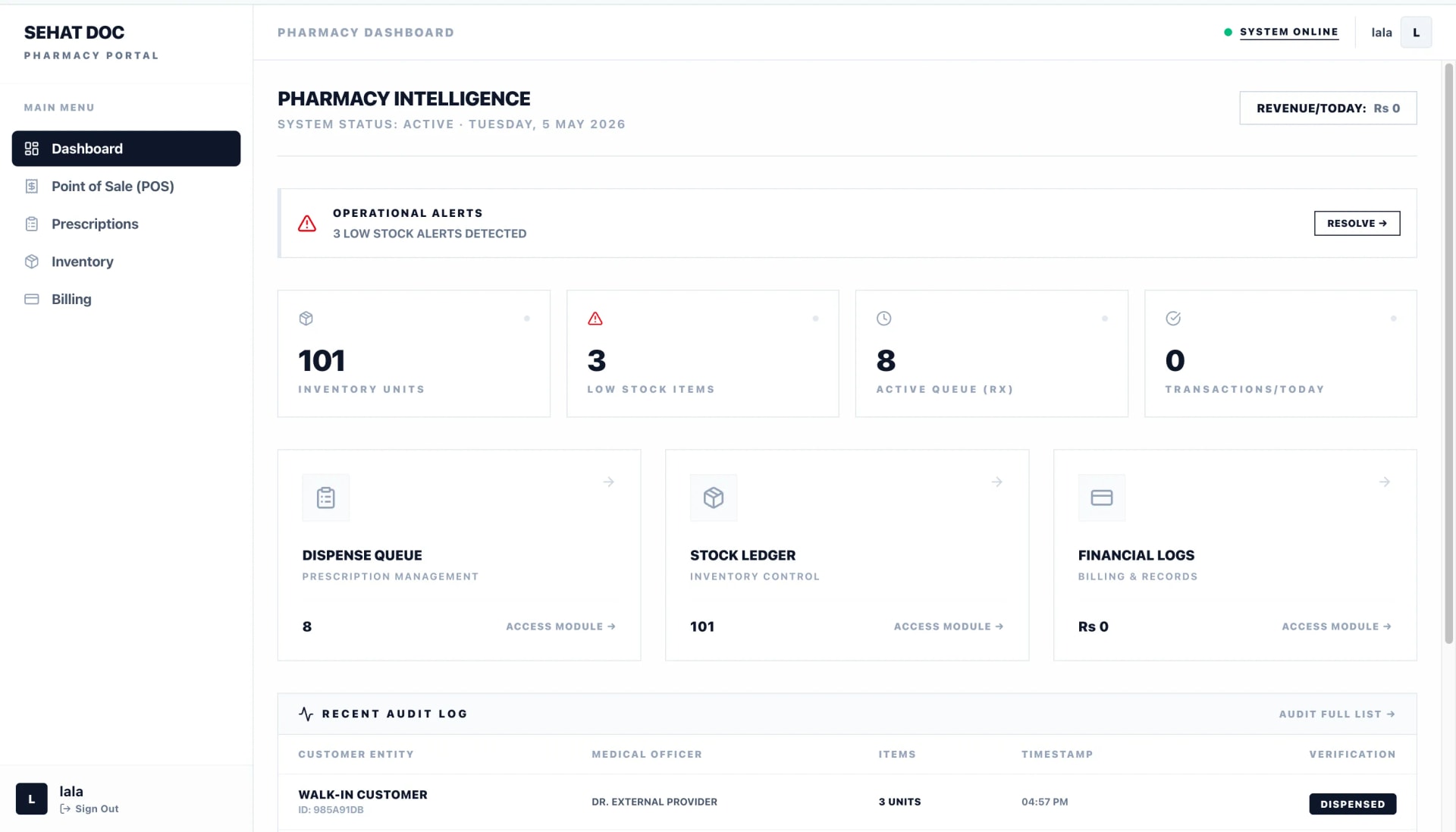
If you dispense on site, the prescription should not be typed twice. It arrives at the counter as an order, the sale reduces stock, and the money joins the clinic’s day.
- Batches and expiry
- Stock is tracked per batch with expiry dates, and short-dated items are flagged before they are dead money.
- Alerts on what moves
- Low-stock warnings on the medicines you actually dispense, with reorder levels you set.
- Counter sales without a prescription
- Over-the-counter sales run through the same POS and the same day-end total.
- Pharmacy margin, separately
- Reported on its own line so you can see what the counter contributes against what it ties up in stock.
Also included
The smaller things, which are often the ones that decide it
None of these are paid add-ons. They come with the plan that includes the module they belong to.
WhatsApp, built in
Booking confirmations, day-before reminders and the prescription itself, sent where patients read them.
QR self-booking
A code on the clinic door or your card. Patients see real free slots and book themselves in.
SehatLab diagnostics
Order tests from the patient file, track samples, and publish reports on your own template.
Roman Urdu throughout
Dosage text, patient messages and printed instructions, in the script your patients read.
Follow-up tracking
Patients due back appear as a worklist, so a review does not depend on the patient remembering.
Reporting that reads
Daily, weekly and monthly revenue, expenses, patient counts and the gap between them.
Dose reminders for patients
Patients on the SehatDoc app get reminders to take what you prescribed.
Complaints and support tickets
Patient complaints logged against a visit, assigned and closed, instead of lost in a phone call.
Installs as an app
Add SehatDoc to the home screen on a phone or tablet; it opens like any other app.
Keeps going offline
A dropped connection does not stop the consultation. Work syncs when the line comes back.
Dark mode
For evening sessions and late paperwork, without staring into a white screen.
Export whenever you want
Patients, visits and invoices, exported in a readable format on request. It is your data.
Feature FAQ
The details people check before signing up
Still unsure? Send us the question and a person — not a bot — will answer it.
Can SehatDoc print on the prescription pads we already have?
Yes. Header height and margins are adjustable, so prints line up with pre-printed stationery. If you would rather print on plain paper, SehatDoc puts your clinic name, address and registration number on the page itself.
Does the receptionist see patients’ clinical notes?
No. The receptionist portal has no route into a consultation note — it is a permission boundary, not a hidden menu. Reception sees appointments, contact details, invoices and the queue.
How do WhatsApp reminders work, and do we pay per message?
Reminders go out automatically when an appointment is booked, moved or cancelled, and before the visit. Messaging is included in every plan; there is no per-message charge from us.
Can two doctors in the same clinic keep separate schedules?
Yes. Each doctor has their own calendar, session times and patient list, while reception works across all of them from one screen. The Care plan covers up to three doctors and Elite up to six.
Does SehatDoc work on a phone?
Yes. The whole product is responsive and can be installed to a phone or tablet home screen like an app. Doctors commonly use a laptop in the clinic and a phone between sessions, on the same records.
Try it with next week's patients
Plans start at PKR 4,000 a month, billed in rupees, with setup and staff training included. Bring over next week's patients and see whether the evening session runs any easier.
Setup help and staff training are included on every plan.